 Social Foundryby Schill Solutions
Contact Us
Social Content, Thoughtfully Organized
Plan Your Posts.
Stay Present.
Your business has a story to share. Bring your social content, media, and posting schedule together in one workspace.
Built by Schill Solutions · Works in your browser
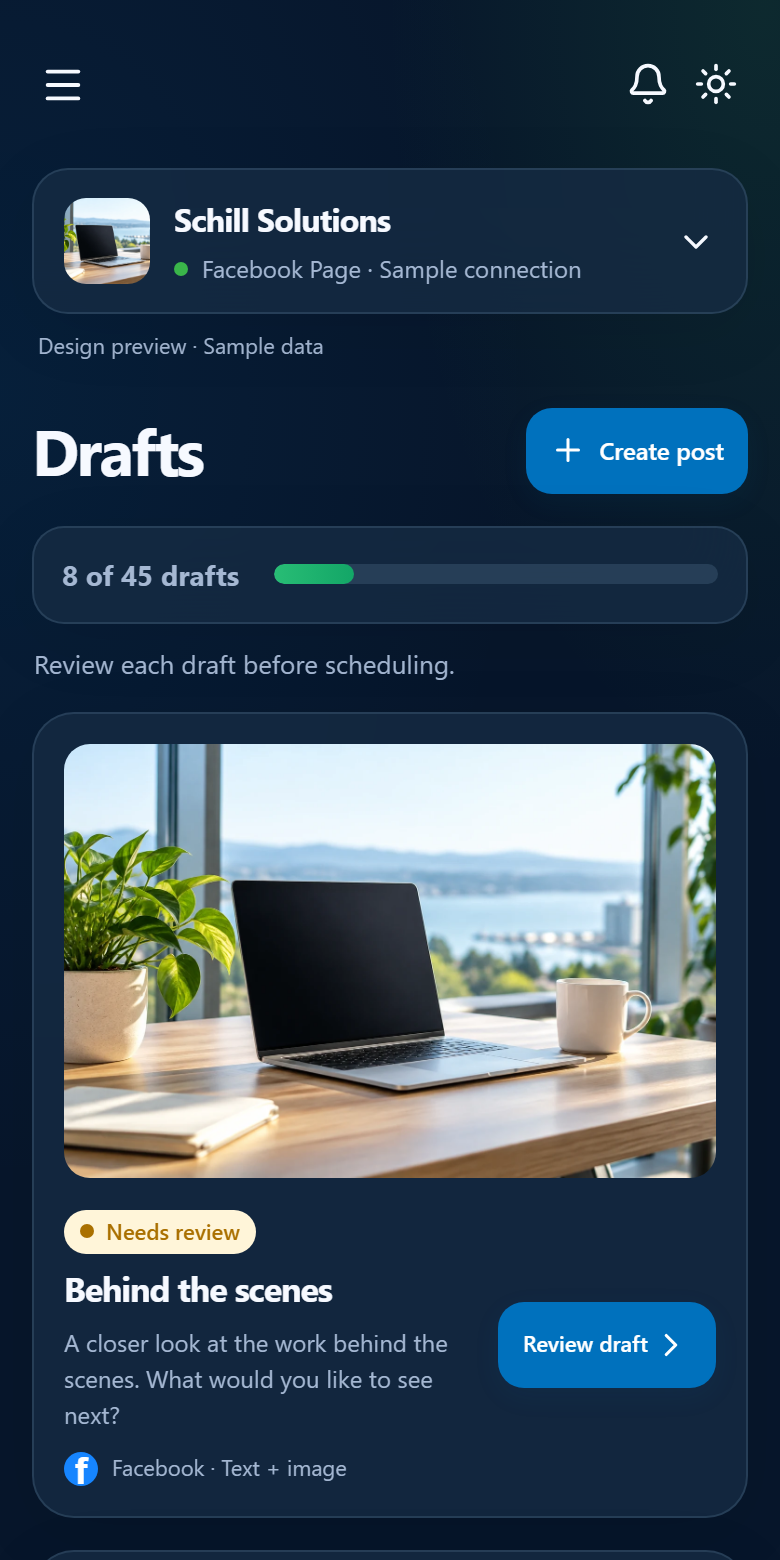
Your Social Presence, Connected
One Plan. More Possibilities.
Start with Facebook. Instagram and X are part of the plan.
- FacebookPublishing in Early Access
- InstagramPlanned Support
- XPlanned Support


Sound Familiar?
From “What Do I Post?”
to “I’ve Got a Plan.”
A little organization can make your next post feel a lot less overwhelming.

“What Should I Post?”
Ideas everywhere. A busy day ahead. Your next post is still a question mark.
“There’s a Clearer Way.”
Bring your ideas, images, and publishing plan into one workspace.
“Now I’ve Got a Plan.”
Review your posts, choose when they go live, and get back to your business.
More Clarity. Less Scattered Work.
A Home for Your
Social Content
From the first draft to the scheduled post, keep the details connected to the right business.
Make Room for Better Drafts
Write and edit your post, give it a recognizable title, and choose the image that fits. Save your work until you’re ready to schedule.
Find the Right Image
Upload and rename images in a media library organized by business. Keep each business’s visuals close to its content.
See What’s Coming Next
Choose a publishing date and time, then see your planned posts in the calendar. Build a posting rhythm that works for you.
Give Each Business Its Space
Keep profiles, logos, media, and a connected Facebook Page in the right business workspace. Switch businesses when you need to.
Your Voice. Your Decision.
You Stay in Control
of What Goes Live.
Good publishing starts with a deliberate review. Prepare your message and image, check the destination, and approve the post before it’s scheduled for Facebook.
Social Foundry keeps that decision with you, so your content reflects the business behind it.
Talk About Your WorkflowA Simple Publishing Rhythm
From Draft to Scheduled
Spend a little time planning ahead, then get back to running your business.
- 1
Connect Your Business
Set up your business profile and connect the Facebook Page you manage.
- 2
Prepare Your Post
Add your text and image. Save the draft and review it when you’re ready.
- 3
Approve and Schedule
Choose the date and time, approve your content, and follow your schedule in the calendar.
A Few Helpful Details
Questions?
Start Here.
We’ll help you decide whether Social Foundry fits the way you work.
Ask Us a QuestionWho Is Social Foundry For?
Businesses and organizations that want one place to prepare, review, and schedule Facebook Page content. Separate business workspaces keep the right media and posts together.
What Can I Publish To?
Facebook Page publishing is available in early access. Instagram and X support is planned and is not available yet. You need the appropriate Facebook Page access to connect a Page and authorize publishing.
Can I Use It on My Phone?
Yes. Social Foundry runs in your web browser on a phone, tablet, or computer. There is no separate app to install.
Do I Review Posts Before They Publish?
Yes. Posts require your approval before scheduled publication. You choose the message, image, business, and publishing time.
How Do I Get Started?
Contact Schill Solutions for current plan details, availability, and help choosing the right fit for your business.
Make Time for What’s Next
Give Your Content
a Clear Plan.
See how Social Foundry can fit your business.
Contact Us